1.1 “Add Link Task” offline download on PC #
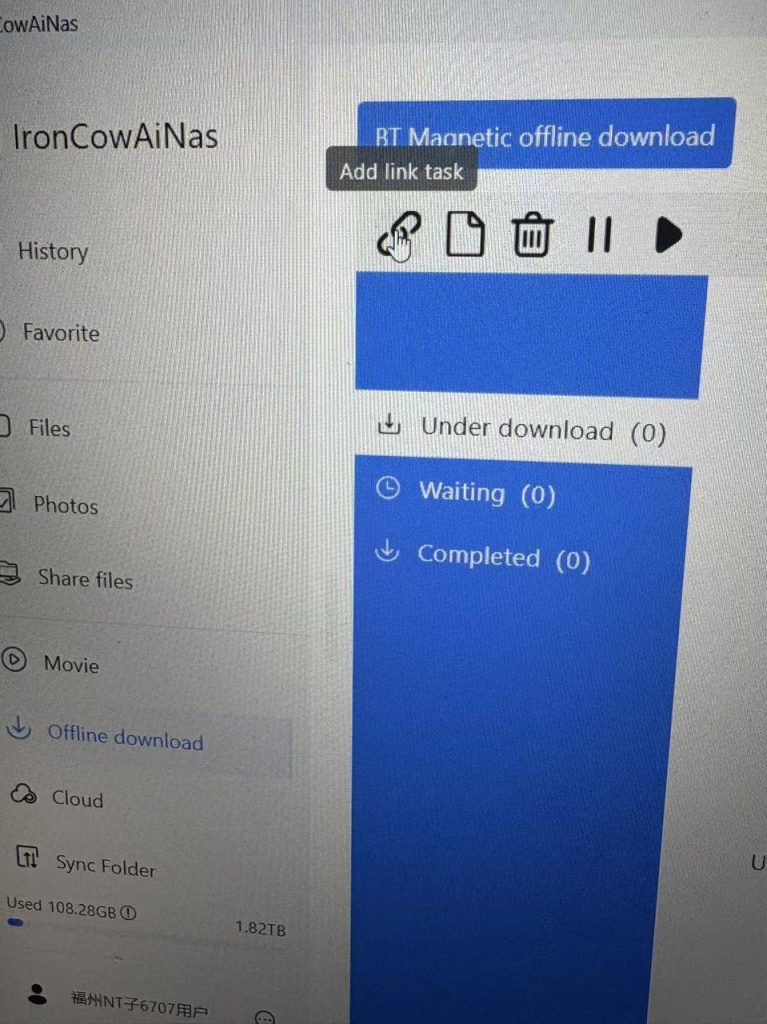
Step 1: On the PC homepage, click “Offline Download” in the left sidebar.
Step 2: Click “Add Link Task”
Step 3: Add the movie link address found on the website to “Add torrent link”
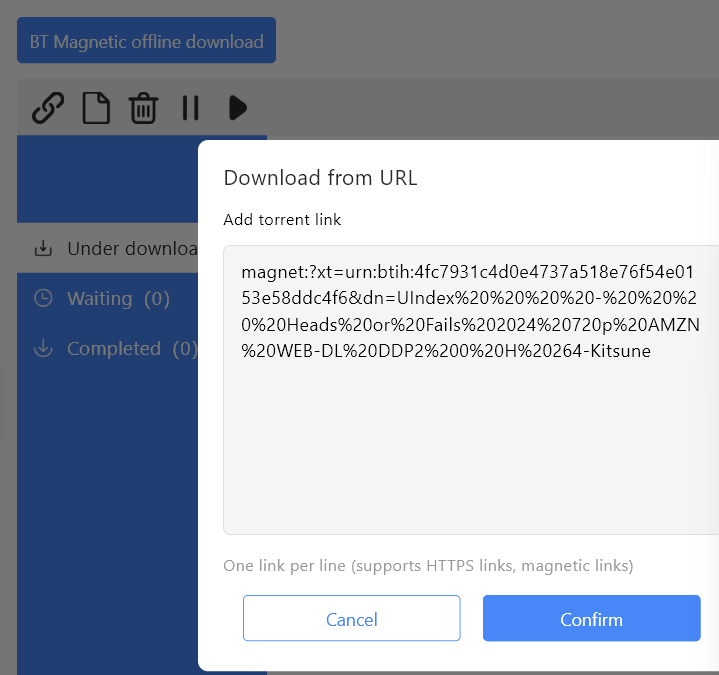
Step 4: Click “OK”, and a prompt will appear saying “Task created successfully. It will be downloaded automatically after the cache is completed.”
Step 5: Click the “Completed” page to view the completed download tasks.
Note: The default download location is: My Files – “Downloads” directory.
1.2 Offline Downloading from PC: “Add Torrent File from Computer” #
Step 1: On the PC homepage, click “Offline Download” in the left sidebar.
Step 2: Click “Add Torrent File from Computer”Step 3: Select the “.torrent” format seed file from your computer.
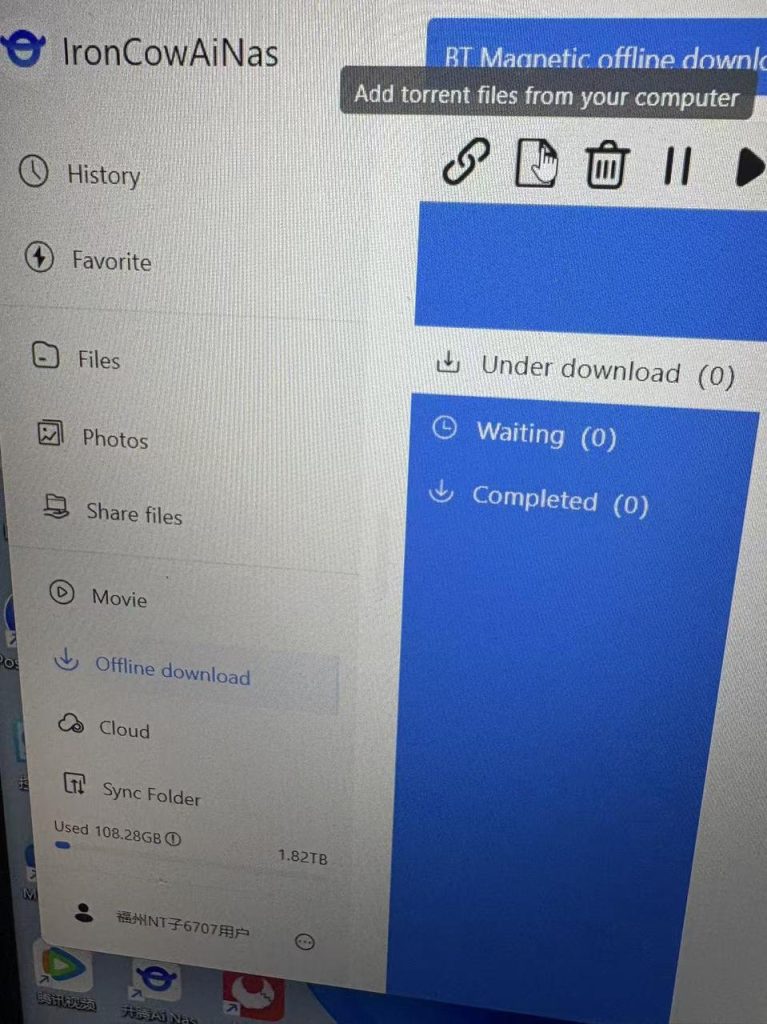
步骤3: Select the “.torrent” format seed file from your computer.
Step 4: Click “OK”, and a prompt will appear saying “Task created successfully. It will be downloaded automatically after the cache is completed.”
Step 5: Click the “Completed” page to view the completed download tasks.
Note: The default download location is: My Files – “Downloads” directory.
1.3 Offline Download of “Add Link Task” on Mobile App #
Step 1: On the home page of the APP – click “Download Center”
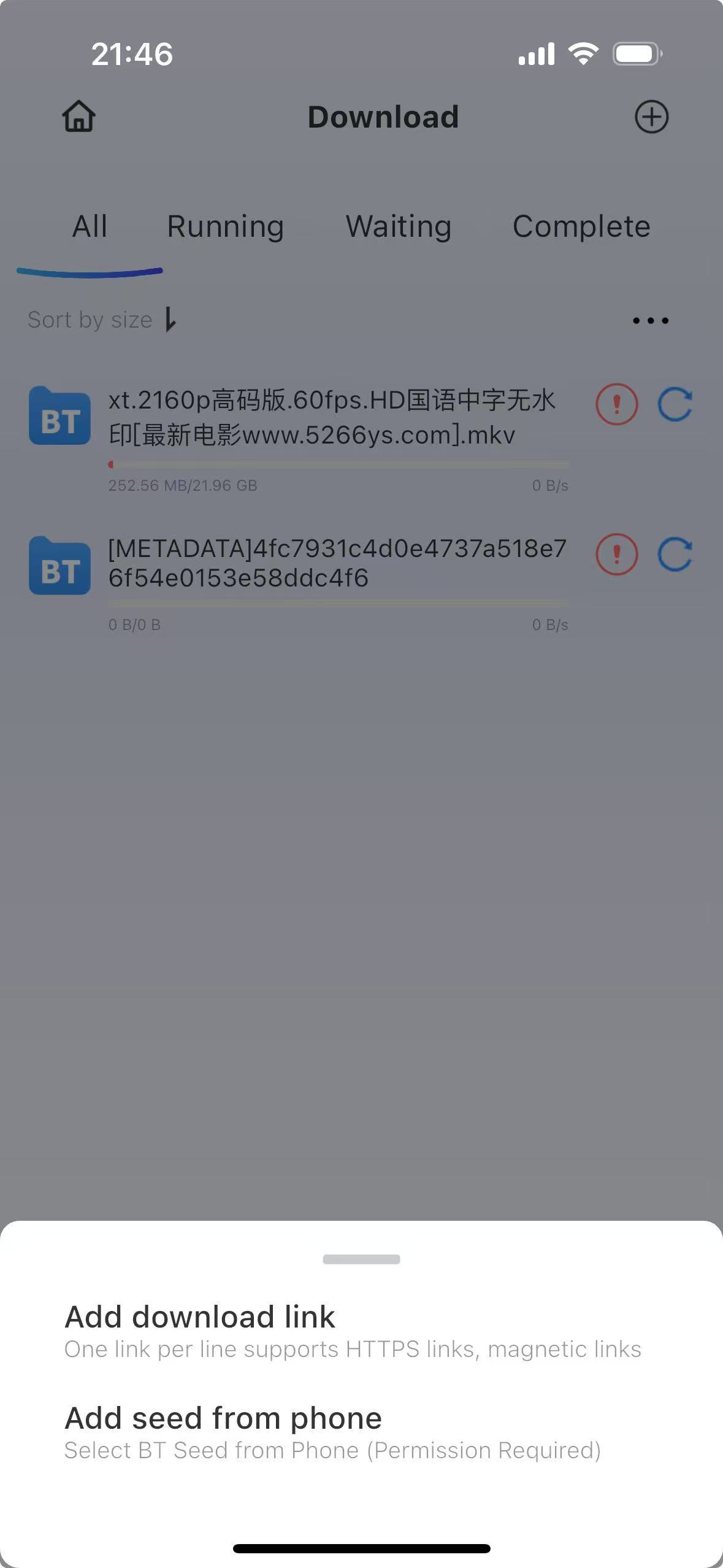
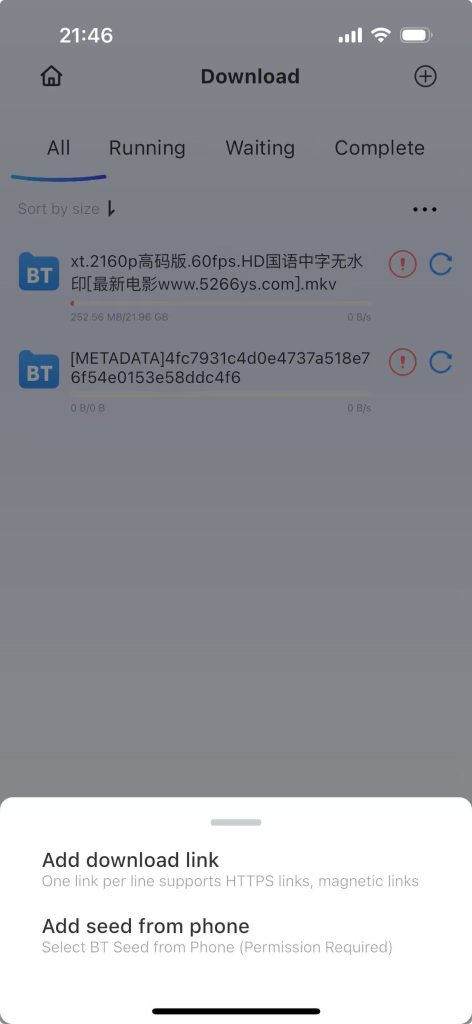
Step 2: Click the “+” sign on the top right corner.
Step 3: Click “Add Download Link”, add the link and click “Confirm”. A prompt will appear saying “Task created successfully. After the cache is completed, you will enter the download page.”
1.4 Offline Downloading from Mobile Device: “Add Seed File from Mobile Phone” #
Step 1: On the home page of the APP – click “Download Center”
Step 2: Click the “+” sign on the top right corner.
Step 3: Click “Add Seeds from Mobile Phone”, select the seed file on your mobile phone, and a prompt will appear saying “Task created successfully. After the cache is completed, you will enter the download page.”
1.5 Possible reasons for slow or failed BT downloads #
1. The success or failure of a download depends on the connection status between the server where the torrent file is located and the user’s machine’s network. Some servers hosting download files may have unstable or unsuccessful handshakes with the user’s network environment, which can cause download failures.


